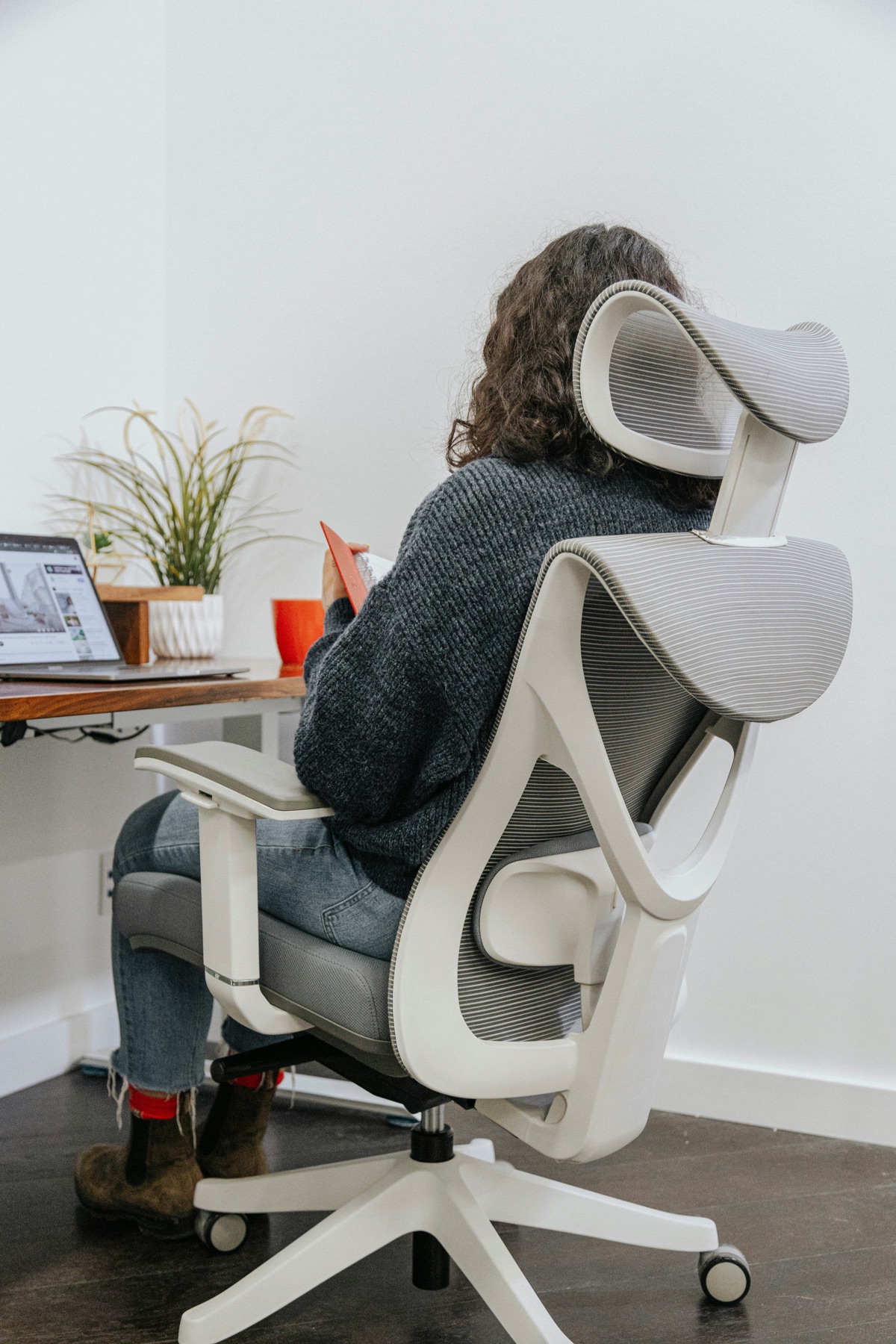
Choosing between an office chair and a gaming chair for a long day at the desk? For most people, a well-fitted office chair is the safer place to start. More of the budget usually goes into useful adjustments, such as seat depth, arm position and lower-back support. Gaming chairs often spend more on a tall racing shape, deep recline and bold styling. That does not make every gaming chair uncomfortable or every office chair good. The chair still has to fit your body and your desk. Fixed armrests that stop you getting close to the keyboard can ruin an otherwise supportive chair, while a simple model with the right dimensions may feel good for hours.
01
Look past the racing shape
Task chairs are built around desk work and movement. Better ones let you adjust seat height and depth, arm position, recline tension and lumbar support while keeping a fairly open seat. Gaming chairs commonly use a tall back, head pillow, detachable lumbar cushion, deep recline and side bolsters inspired by car seats. Those bolsters can restrict wider shoulders or sitting positions.
There are exceptions in both directions, so judge the controls rather than the category name. Our ergonomic office chair guide focuses on useful adjustment. For a wider overview, read how to choose an office chair.
02
Fit the chair to your desk
Set seat height so your feet are supported and your shoulders stay relaxed when your hands reach the keyboard. Leave a small gap behind the knees and support the lower back without a hard lump pushing you forwards. Armrests should support the forearms without forcing shoulders up or preventing the chair from approaching the desk.
A chair with adjustable lumbar support helps when fixed curves miss your back. A headrest is optional for upright keyboard work and more useful during recline. No chair can compensate for a desk that is too high, a distant monitor or hours spent in one rigid posture.
03
Think about heat and movement
Mesh can feel cooler and provides springy support, but the frame edge must not press into your legs or shoulders. Fabric is often quiet and comfortable. Thick gaming-chair foam may feel plush initially yet become warm, while synthetic leather can peel as it ages. Material quality and replaceable parts matter more than an impressive-looking cushion.
A good recline lets you change posture while remaining supported. Locking at many dramatic angles is less important than smooth tension through a normal working range. Compare mesh office chairs if heat is a concern. Whatever you buy, stand and move regularly instead of searching for one perfect posture.
04
Pay for adjustment, not decoration
Spend first on the adjustment range that fits you, a stable five-point base, suitable casters, clear warranty terms and parts that can be replaced. Try the chair with your actual desk height if possible. Check return costs because a chair that looks ideal on a specification sheet can still press in the wrong place after an hour.
Choose a gaming chair when you genuinely prefer its fit, recline and appearance, not because the wings imply support. Choose an office chair when long work sessions, subtle looks and fine adjustment take priority. Budget does not need to be huge; our office chairs under $200 show which features are realistic at a lower price. Measure the available floor space too. A wide gaming base or long recline can hit drawers and walls, while oversized armrests may stop the seat sliding under the desk.
Check the recommended user height and weight as a fit range, not a quality score. If several people share the chair, quick controls and a sliding seat are more useful than settings hidden behind tools. Revisit the setup after a week, because new foam and unfamiliar controls can change how the first showroom adjustment feels.
Sources and further reading
We use primary and specialist sources to check the principles in this article. Product recommendations are researched separately.

