USB-C Hub vs Docking Station: Which Do You Need?

Compare a USB-C hub vs docking station for ports, charging, displays, bandwidth and portability—and learn what your laptop must support first.

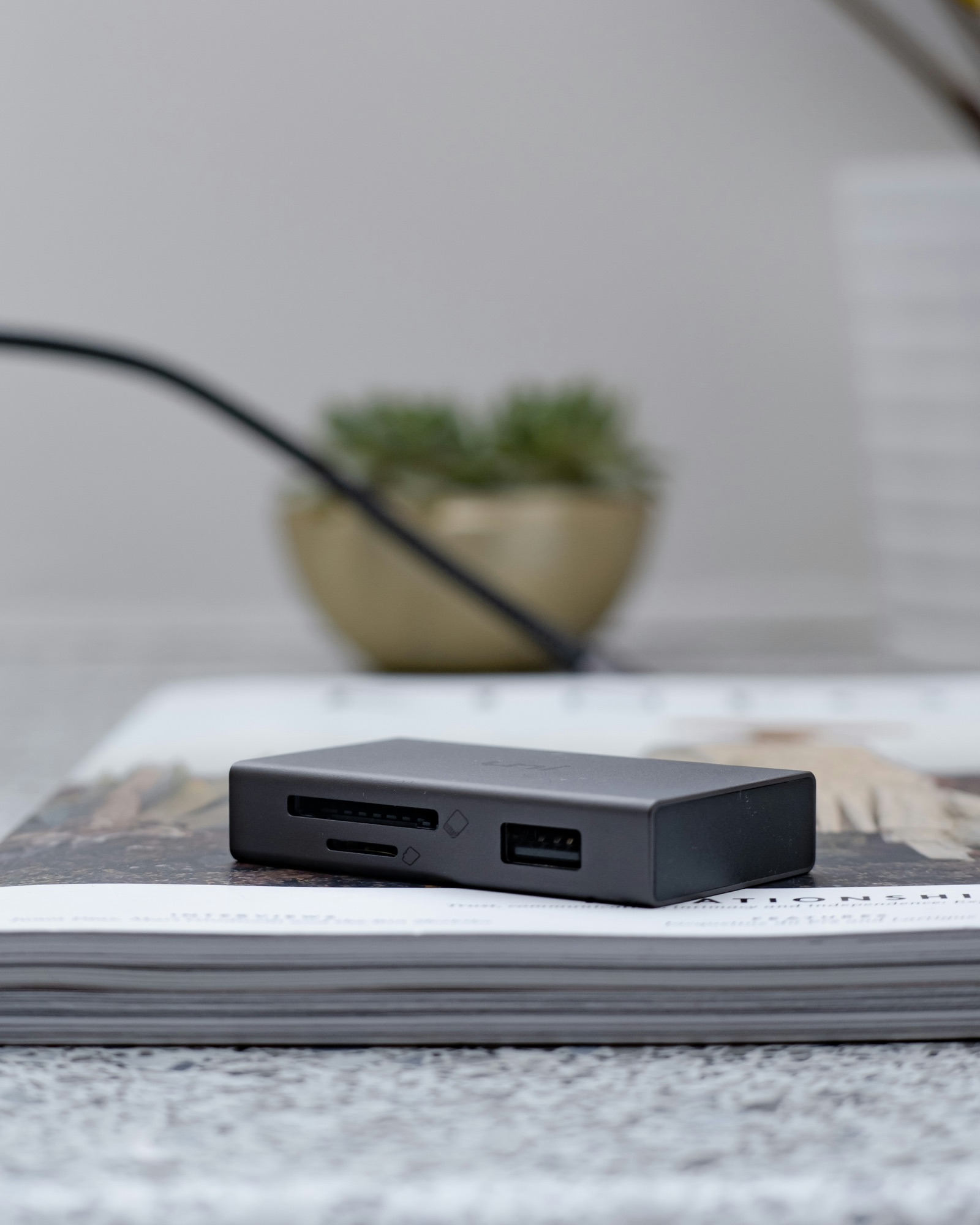
Compact USB-C hub beside a powered desktop docking station
Photo: Lasse Jensen / Unsplash

If you are tired of plugging five things into your laptop every morning, a dock is probably what you want. If you only need HDMI, a card reader and the occasional USB-A port while travelling, a small hub is easier to live with. The awkward part is that brands use “hub” and “docking station” loosely, so this USB-C hub vs docking station decision comes down to bandwidth, charging and displays—not the name. For demanding desks, see our best Thunderbolt 4 docking stations.

01

The practical difference

A typical USB-C hub is light, bus-powered and designed to disappear into a laptop bag. It adds a handful of ports and often passes power from your existing charger. That is ideal for travel, presentations or a desk where accessories are only connected occasionally.

A docking station usually stays put and brings its own power supply. It is more likely to include Ethernet, several display outputs, faster downstream ports and enough charging for a work laptop. There are exceptions in both directions, so compare the actual ports and limits rather than assuming the larger box is automatically more capable.

02

Start with the computer, not the accessory

Start with the laptop. USB-C tells you what the connector looks like, not what it can do. Two identical ports may support different data speeds, charging directions and video modes. A dock cannot add Thunderbolt, DisplayPort Alt Mode or extra native display support when the computer never had it.

Check the exact model, processor and operating system, especially if you want two or more monitors. Macs and Windows laptops handle external displays differently, and some entry-level machines impose limits even with an expensive dock. Our monitor size and resolution guide helps you work out what the display side will demand.

03

Budget bandwidth and power

That single upstream cable may be carrying video, storage, Ethernet, audio and power at once. All of those devices share the link. If you edit from an external SSD or run high-resolution monitors, look for a clear bandwidth breakdown rather than a row of ports all described as “high speed.”

Charging has its own small print. A 180W power brick does not mean 180W reaches the laptop; the dock keeps some for itself and its accessories. Choose enough host power to sustain your normal workload. Travellers pairing a hub with a battery should also read our power bank capacity guide.

04

Pick by use case

Choose the hub when portability, price and a few missing ports matter most. Choose a powered dock when you want Ethernet, displays, storage and charging to reconnect predictably with one cable. Pay extra for Thunderbolt when your drives and displays can actually use the bandwidth.

Cable quality is part of the system. Use the supplied upstream cable or a certified replacement with the same capabilities; lookalike USB-C leads can differ dramatically. On a sit-stand desk, make sure every cable reaches the full height without pulling. If wired Ethernet is compensating for poor coverage, compare mesh Wi-Fi and extenders before rebuilding the desk around a network problem.

When something fails, unplug the optional accessories and add them back one at a time. It is a much faster way to distinguish a host limitation, an overloaded power budget and one bad cable.

Sources and further reading

We use primary and specialist sources to check the principles in this article. Product recommendations are researched separately.

Good questions

FAQ — USB-C Hub vs Docking Station: Which Do You Need?

01What is the difference between a USB-C hub and a docking station?+

A hub is generally smaller, portable and designed to add a few ports. A dock usually stays on a desk, has its own power supply and connects more displays, networking and peripherals. Product names vary, so compare actual features.

02Can a USB-C hub charge a laptop?+

Some hubs pass power from a separate USB-C charger to the laptop. Check the hub’s maximum input and host output because it consumes some power itself. The computer and cable must also support the required USB Power Delivery level.

03Can a USB-C hub support two monitors?+

Only when the computer, operating system, hub and connection protocol support the intended displays. Some laptops limit native external-display count. Resolution and refresh rate also affect bandwidth, so a pair of 1080p displays is less demanding than two high-refresh 4K screens.

04Is Thunderbolt better than USB-C?+

Thunderbolt provides certified data, display and compatibility capabilities through the USB-C connector, making it useful for demanding docks and fast storage. It costs more and may be unnecessary if you need only charging, one display and basic USB devices.

05Does a docking station improve laptop performance?+

It adds connectivity but does not increase processor or graphics performance. It may enable a more productive display and peripheral setup. A poorly matched dock can instead limit drive speed, charging or refresh rate, so verify the host connection.

06Do I need a powered docking station?+

Choose one when you want consistent laptop charging and several peripherals from one cable. A bus-powered hub is adequate for lighter use. Drives and devices with higher power requirements may behave more reliably with a dock that has its own supply.

07Why does my USB-C dock not detect a monitor?+

The host port may lack video output, the cable may be data-limited, or the requested resolution may exceed available bandwidth. Check operating-system display limits, dock firmware, the correct video input and manufacturer compatibility guidance for the exact laptop.

08Can I use a Thunderbolt dock with a USB-C laptop?+

Some Thunderbolt docks offer reduced USB-C compatibility, while others require Thunderbolt for key functions. Read the dock’s host requirements. Even when basic USB works, multiple displays, high-speed ports or charging may operate differently.

09What wattage should a docking station provide?+

Match the laptop manufacturer’s recommended charging power for your normal workload. Ultraportables may need modest power, while performance laptops need much more and may still require their original charger. Check delivered host wattage, not the dock supply’s total rating.

10Is a USB-C hub good for travel?+

Yes. A compact hub is useful when you need HDMI, USB-A, Ethernet or card access away from a permanent desk. Choose only the ports you use, confirm power pass-through and pack a cable or charger capable of the required performance.

Good things, occasionally.

Five useful recommendations in one quiet email.